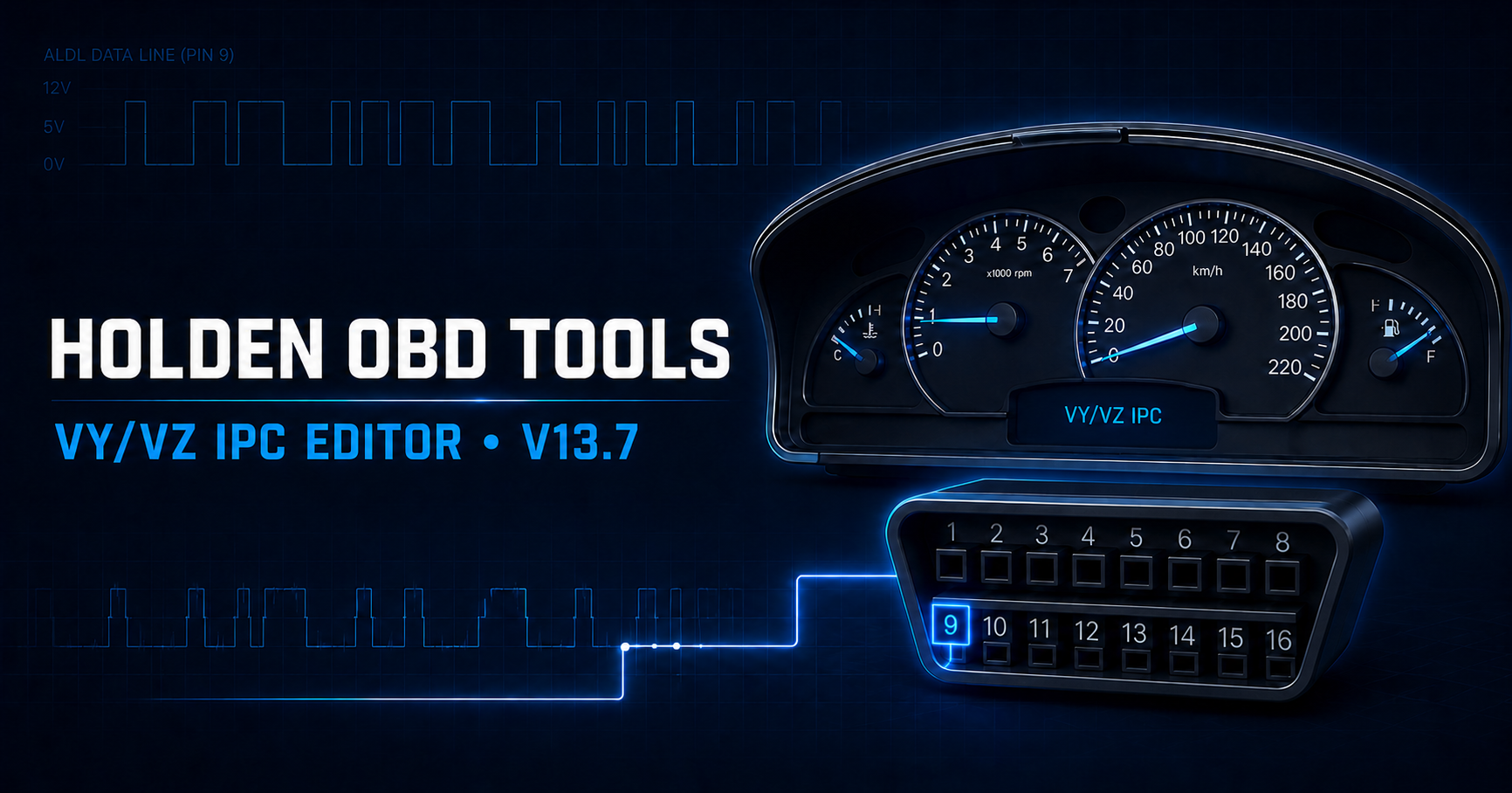
 AVAILABLE NOW
HOLDEN INSTRUMENT CLUSTERS
VY/VZ IPC Editor
Holden VY/VZ instrument-cluster diagnostics, backups, configuration and supported programming over GM ALDL pin 9.
$80AUD per month
Add to cart Purpose-built cluster diagnostics
A focused Windows tool for Holden VY and VZ instrument clusters, built around confirmed ALDL captures, clear workflows and careful read-back verification.
The exact path
Software products
Choose the access period that suits the job. Every purchase is tied to the signed-in account and one registered Windows computer.
AVAILABLE NOWHOLDEN INSTRUMENT CLUSTERS
Holden VY/VZ instrument-cluster diagnostics, backups, configuration and supported programming over GM ALDL pin 9.
One editor, two environments
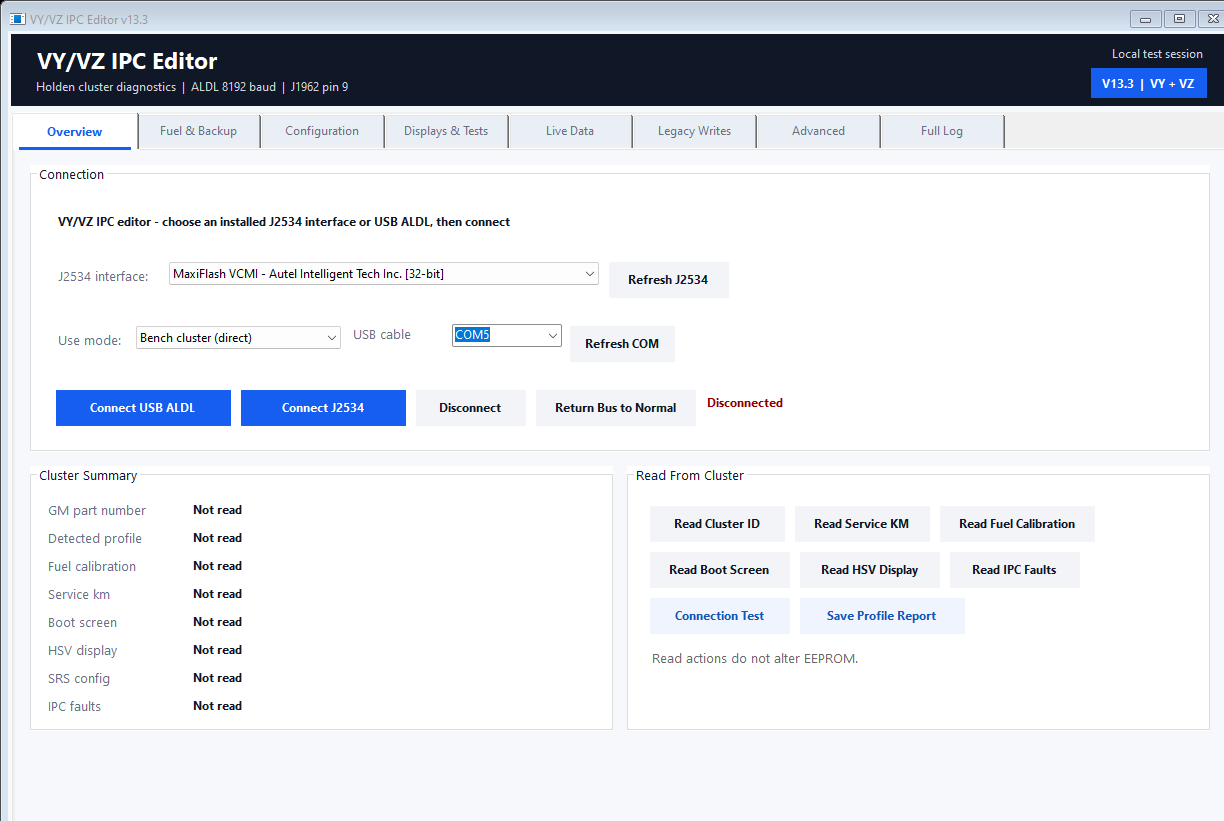
Choose direct bench communication or the recovered in-vehicle BCM/INS handover. Use a selectable COM port with a USB ALDL cable, or choose a compatible installed 32-bit J2534 interface.
Bench cluster
Ideal for spare-cluster validation, backups, display tests and bench-only Mode, Set, Up and Down overrides.
In vehicle
Uses the recovered bus-control sequence before IPC requests and reopens the session when verification requires it.
What it handles
Customer activity shows clear success, warning and failure results. Protocol frames, security values and write sequences stay out of the subscriber interface.
Identify & preserve
Read the detected profile, GM part number, fuel calibration, manufacture data and hardware level, then save a mapped 512-byte EEPROM backup.
Configure
Work with vehicle configuration, fuel sender calibration and dependent SRS selections without needing to remember raw ALDL frames.
Personalise
Read and write supported Holden, HSV, Chevrolet, Omega and CSV boot screens, plus HSV vehicle type, build number and ten-character custom text.
Diagnose & test
Read the confirmed IPC fault table, issue the explicit clear command, run gauge tests and use bench-only trip-switch overrides.
Inside V13.7
These are current captures from the downloadable Windows build. The working tabs stay simple and the customer Activity tab reports outcomes without exposing protocol internals.
Connection & identification
Choose bench or in-vehicle mode, select USB ALDL or an installed J2534 interface, then identify the cluster before changing it.
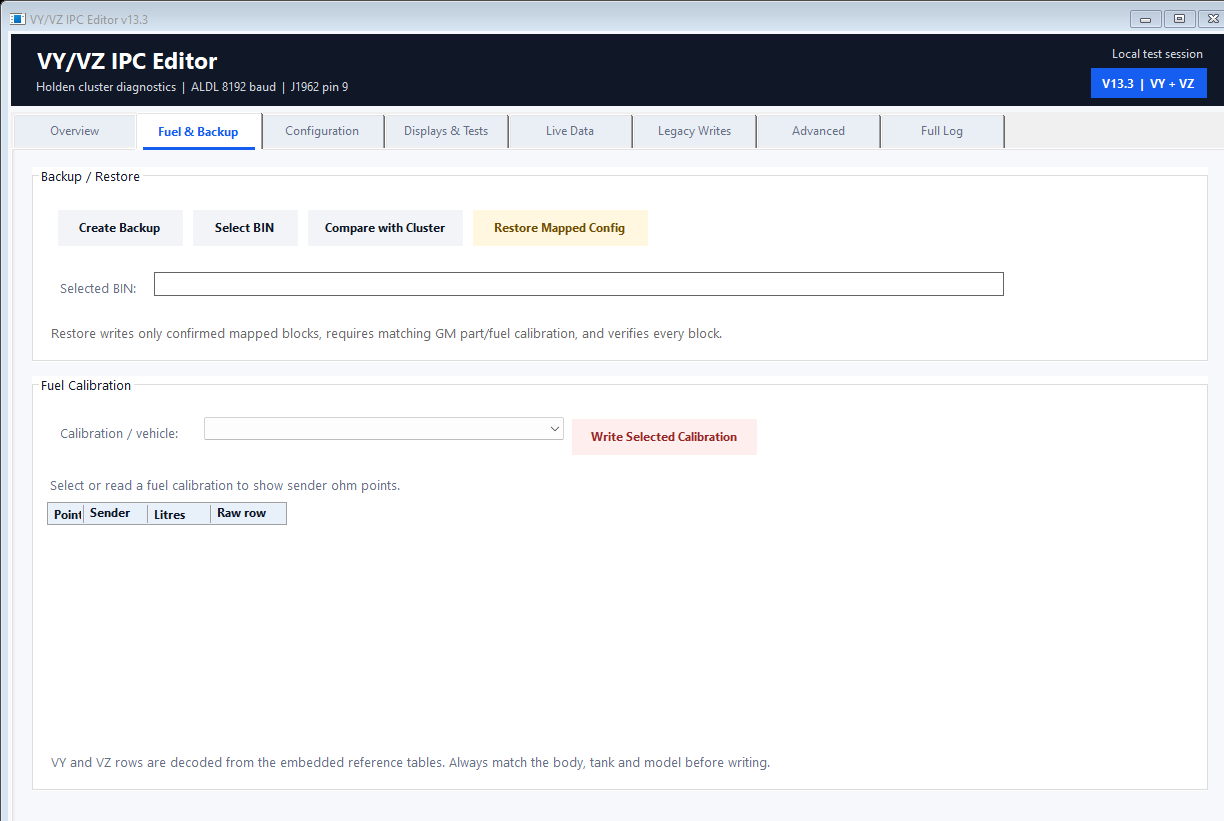
Fuel & backup
Create and compare backups, inspect sender ohm points and select a vehicle-labelled fuel calibration.
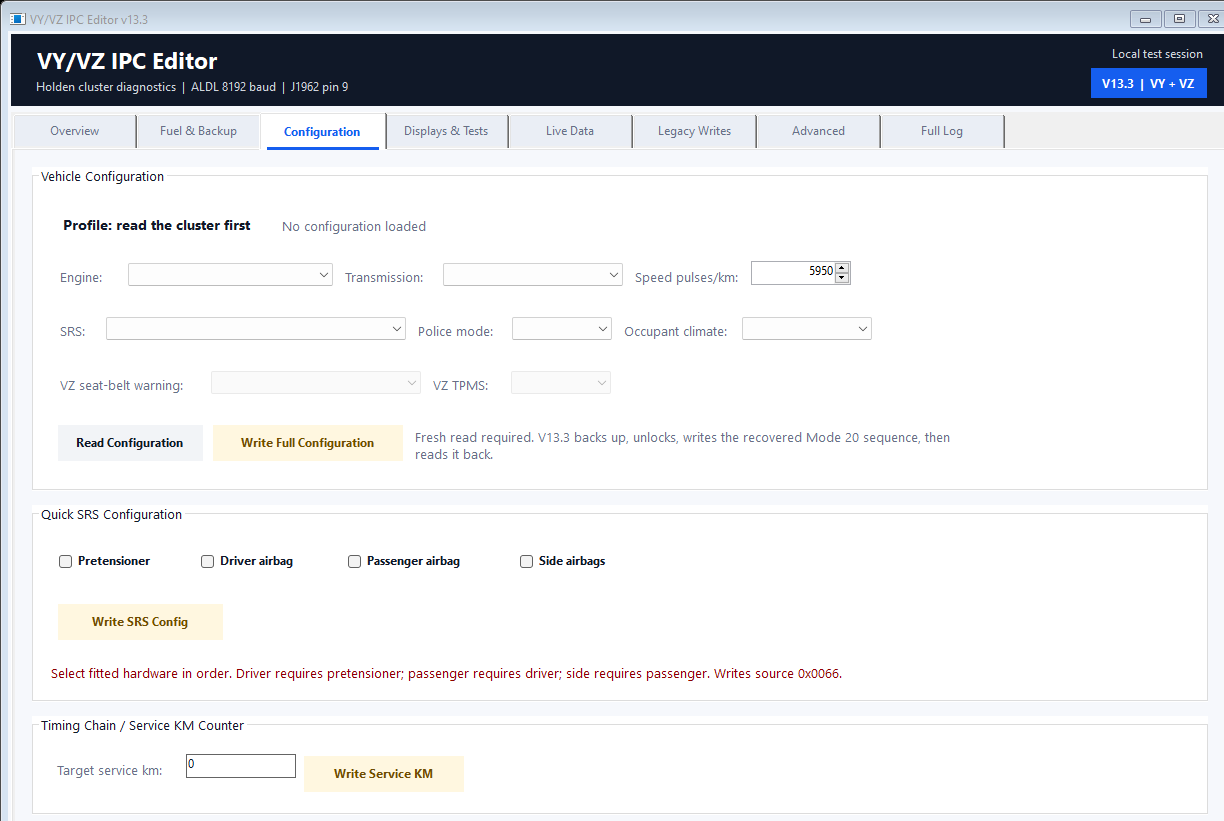
Configuration
Read the fitted configuration, then work through guided vehicle and dependent airbag selections.
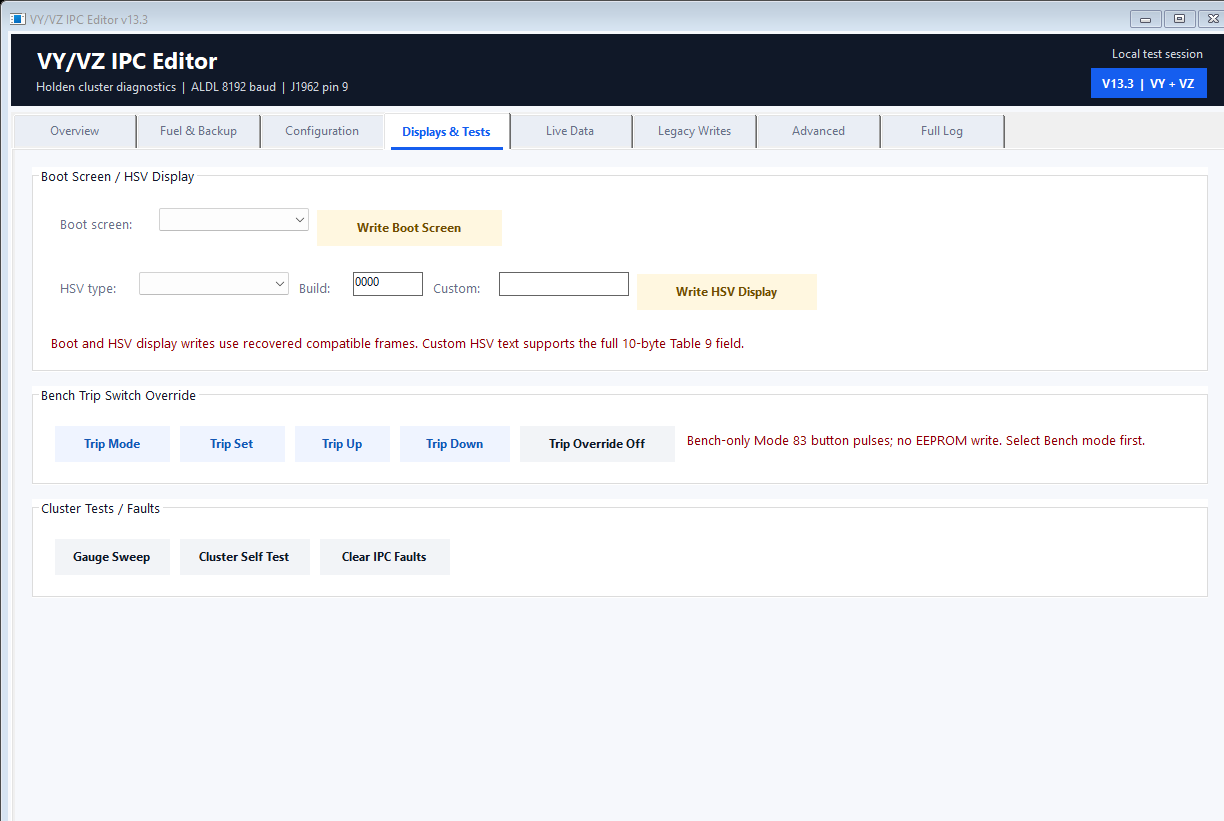
Displays & tests
Personalise supported displays, run cluster checks and operate the trip switches during bench testing.
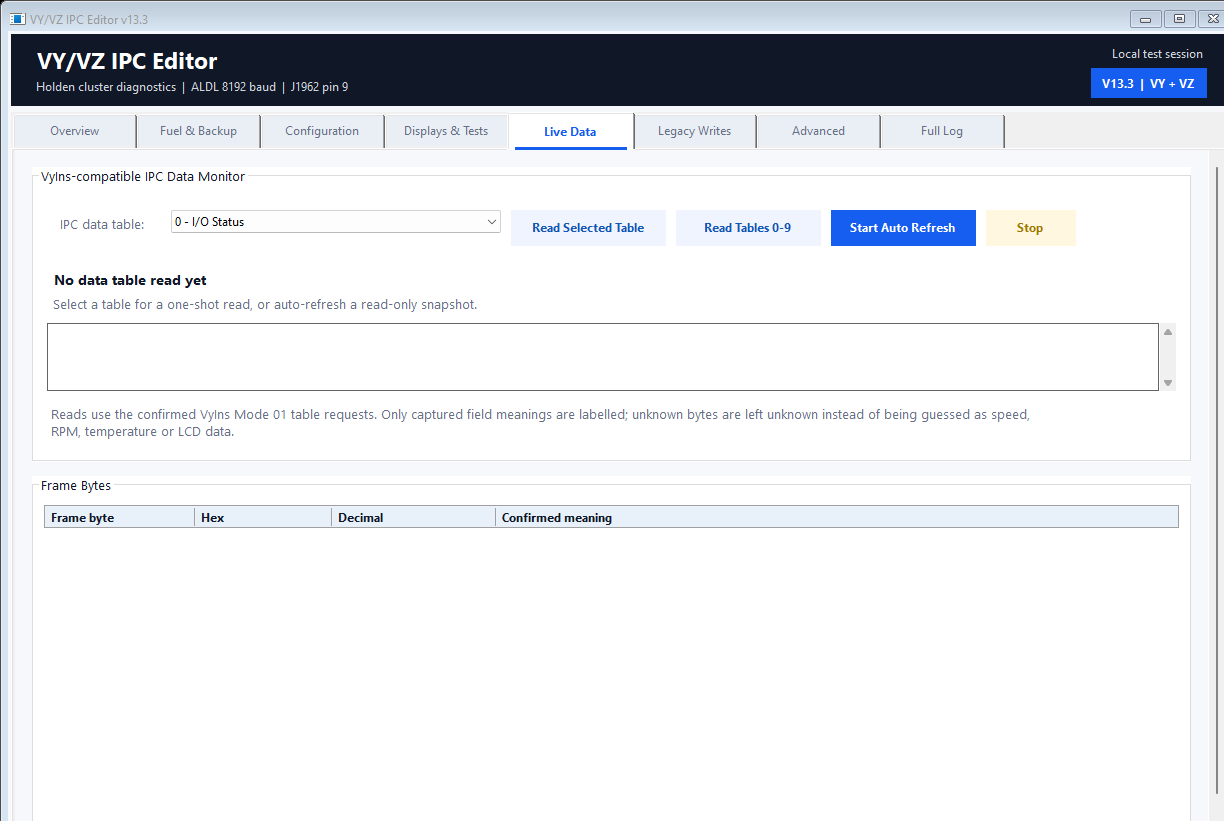
Live data
Inspect confirmed table data while unknown bytes remain clearly marked instead of being guessed.
Programming safeguards
V13.7 creates one immutable baseline before the first supported write, then reuses it until disconnect or a different cluster is detected.
Programming still requires a stable 12–14 V supply and controlled testing. Newly recovered write paths are offline-tested and should be validated one change at a time on spare hardware.
For experienced users
V13.7 includes guided legacy writes and guarded record/table editors for confirmed storage layouts. Unknown values stay labelled unknown, while owner-only diagnostics remain separate from customer activity.
Speedometer PPK and tachometer PPR
Coolant curve and high-temperature warning
Dial, pointer and display illumination
Centre and side LCD contrast
Stepper zeroes and gauge offsets
Shift-light enable and six RPM points
Seven recovered parameter-reset selectors
$80 AUD per month
You can create an account and sign in to the website before paying. Choose 1, 3, 6 or 12 months before checkout. Software downloads and Windows application access begin only after payment is confirmed.
Account creation is free. Select and review the complete prepaid access total before secure payment.
Good to know
The VY/VZ IPC Editor is $80 AUD per month. Choose 1, 3, 6 or 12 months before checkout. Creating an account does not charge you.
Yes. A new account can sign in and continue browsing the website, catalogue and cart. Downloads and application login remain locked until payment is confirmed.
Native Holden VY and VZ IPC profiles are the primary target. Pontiac/native-VZ compatibility is kept separate where it has not been proven.
No. These clusters use GM ALDL at 8192 baud on J1962 pin 9. J1850 VPW/PWM and generic OBD-II protocol numbers are not substitutes.
No. Data Tables 0–9 can be viewed read-only, but unproven byte meanings and scaling remain visibly unknown instead of being guessed.
No. The current product uses a fixed prepaid 1, 3, 6 or 12-month term. A future recurring offer would need to be clearly identified and separately authorised at checkout.